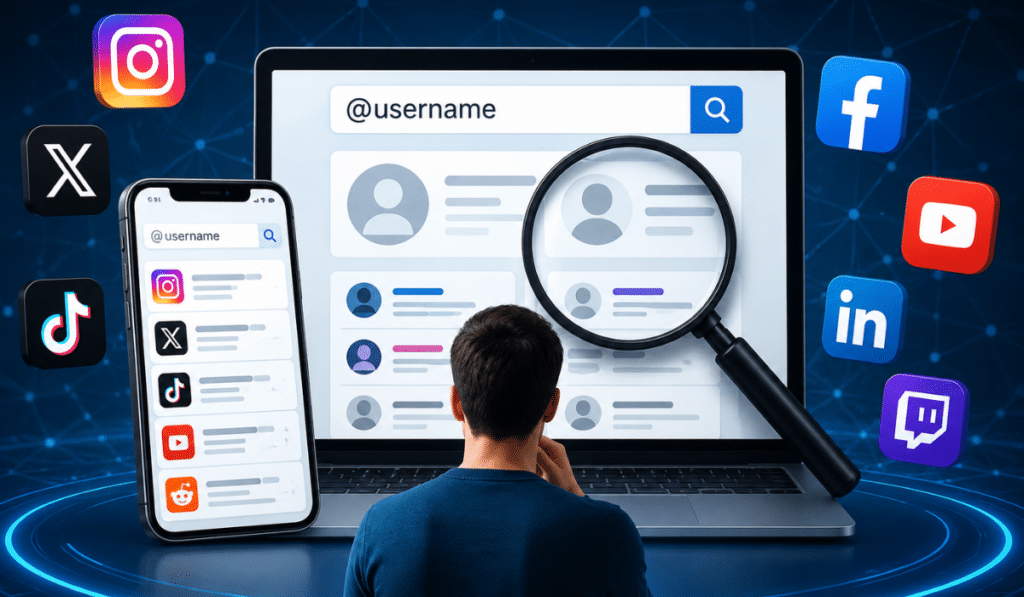
Trying to find anyone someone online usually starts with one thing: a username.
Maybe you remember an old gaming handle from years ago. Maybe you’re trying to verify whether a creator account is real. Sometimes you just want to reconnect with an old friend, locate a business profile, or see whether the same person uses the same handle across multiple social platforms.
Usernames have become part of how people identify themselves online. Many users keep the same handle on Instagram, TikTok, Reddit, X, Twitch, YouTube, and gaming communities because it’s easier to remember and helps maintain consistency.
That habit creates a searchable digital trail.
A username search can often reveal public social profiles, creator pages, discussion forum accounts, gaming identities, and linked websites. Search engines index many of these profiles automatically, while reverse username search tools scan multiple platforms at once.
Still, finding social media accounts by username is not always simple. Privacy settings, changed handles, deleted profiles, and duplicate usernames can all affect results.
This guide explains practical ways to search for public social media accounts connected to a username. It covers manual search methods, search engine techniques, platform-specific tips, reverse username search tools, and the common issues people run into during social profile searches.
The goal is straightforward: help users search smarter while staying within legal and ethical boundaries.
Why Usernames Matter Online
A username is often more consistent than a display name.
Display names can change easily and may not be unique. Thousands of people can use the same display name on platforms like Facebook or TikTok. Usernames, however, are usually unique account identifiers.
Examples:
- @johnsmith92
- @alexgamingtv
- @miawrites
These usernames often appear in:
- profile URLs
- mentions
- comments
- tags
- creator pages
- public search indexes
That’s why username searches work surprisingly well.
Many People Reuse Usernames
One of the biggest reasons reverse username search works is username reuse.
People commonly use the same handle across:
- TikTok
- Twitch
- Discord
- X
- gaming platforms
- forums
For example, someone using “NightWolf92” on Twitch may also use:
- NightWolf92 on Reddit
- NightWolf92 on Steam
- NightWolf92 on TikTok
This pattern helps connect profiles together.
Usernames Become Personal Brands
Creators, influencers, gamers, freelancers, and businesses often build their online identity around one handle.
Examples:
- photographers
- YouTubers
- streamers
- esports players
- podcasters
- small businesses
A consistent username makes them easier to find across multiple websites.
That consistency is useful during:
- creator verification
- brand research
- social profile searches
- scam checks
- influencer outreach
Start With Google Search
Search engines are still one of the best tools for finding public social profiles.
Google indexes millions of usernames every day.
Search the Exact Username
The easiest starting point is a quotation search.
Example:
"nightwolf92"Using quotation marks tells Google to search for the exact phrase.
This works best when:
- the username is uncommon
- the profile is public
- the account has existed for a while
Common usernames may return unrelated results.
Use Site Search Operators
Search operators narrow results to a specific platform.
Examples:
site:instagram.com nightwolf92
site:tiktok.com nightwolf92
site:x.com nightwolf92
site:reddit.com nightwolf92
This method is often faster than searching inside the platform itself.
It’s especially useful for:
- Reddit accounts
- older Twitter/X profiles
- public Instagram pages
- YouTube channels
Search Username Variations
People often make small username changes across websites.
Examples:
- nightwolf92
- night_wolf92
- officialnightwolf
- nwolf92
Testing variations improves search results.
Add Context to the Search
Extra keywords help separate similar usernames.
Examples:
"nightwolf92" gaming
"nightwolf92" Chicago
"nightwolf92" Twitch
This works well when usernames are common.
Search Directly on Social Platforms
Search engines are useful, but direct platform searches can reveal profiles that Google misses.
Each social network handles usernames differently.
Instagram Username Search
Instagram usernames appear directly in profile URLs.
Example:
instagram.com/nightwolf92Instagram search allows:
- username searches
- display name searches
- hashtag searches
What Works Best on Instagram
- exact username matches
- older public profiles
- creator accounts
- business pages
Limitations
- private profiles reveal limited information
- new accounts may not appear immediately
- common names create crowded results
Instagram profiles are frequently indexed by search engines if they are public.
TikTok Username Search
TikTok usernames are also public identifiers.
Example:
tiktok.com/@nightwolf92TikTok search supports:
- usernames
- hashtags
- captions
- creator names
Useful TikTok Search Tips
- search both usernames and display names
- check video comments
- review linked Instagram or YouTube accounts
Many TikTok creators link other social accounts in their bios.
X/Twitter Username Search
X handles remain highly searchable.
Example:
x.com/nightwolf92Searching X works well because usernames are central to the platform structure.
You can often find:
- old tweets
- mentions
- replies
- tagged accounts
Even inactive accounts may still appear in search engine caches.
Reddit Username Search
Reddit usernames are permanent identifiers.
Example:
reddit.com/u/nightwolf92Reddit searches can reveal:
- hobbies
- gaming interests
- technical discussions
- regional communities
Public posting history often provides additional clues that connect social accounts together.
LinkedIn Username Search
LinkedIn profiles may include custom usernames.
Example:
linkedin.com/in/nightwolf92LinkedIn is useful for:
- professional identity checks
- business verification
- creator research
Still, LinkedIn privacy settings can limit visibility.
YouTube Handle Search
YouTube now supports public handles.
Example:
youtube.com/@nightwolf92YouTube creators frequently connect:
- TikTok
- Discord
- Twitch
- personal websites
Descriptions and channel links often help identify related profiles.
Twitch Username Search
Twitch usernames are heavily tied to creator branding.
Example:
twitch.tv/nightwolf92Twitch streamers commonly reuse:
- Discord names
- gaming tags
- TikTok handles
- Reddit usernames
Public clips and chat communities can provide additional search clues.
Use Reverse Username Search Tools
Reverse username search tools automate social profile searches across many websites.
These tools scan platforms looking for matching usernames.
They save time, especially when checking dozens of sites manually would take too long.
Still, they are not perfect.
Namechk
Namechk
Namechk checks username availability across social networks and domain names.
It’s useful for:
- creator research
- brand consistency
- public username discovery
The tool mainly confirms whether usernames exist on supported platforms.
Namecheckup
Namecheckup
Namecheckup scans:
- social networks
- domain registrars
- community platforms
It works well for finding connected branding accounts.
Sherlock
Sherlock Github
Sherlock is a technical reverse username search tool used in open-source intelligence research.
It scans hundreds of websites automatically.
Sherlock Strengths
- broad platform support
- fast scanning
- open-source access
Weaknesses
- requires command-line use
- some false positives
- outdated checks on smaller sites
WhatsMyName
WhatsMyName
WhatsMyName focuses on identifying usernames across public websites.
It’s commonly used during:
- username investigations
- social profile searches
- creator verification
The platform scans many categories including:
- social media
- forums
- gaming communities
UserSearch
UserSearch
UserSearch checks usernames across public communities and social networks.
Results depend on:
- account visibility
- indexing
- platform access rules
Social Catfish
Social Catfish
Social Catfish combines:
- username lookups
- image searches
- broader identity checks
Some tools require payment.
It’s often used for:
- scam prevention
- creator verification
- identity confirmation
Verify Accounts Using Profile Clues
A username alone does not confirm identity.
Verification matters.
People reuse usernames frequently, and some usernames belong to entirely different individuals on separate platforms.
That’s why profile clues are important.
Compare Profile Photos
Many users reuse:
- selfies
- logos
- avatars
- gaming graphics
- creator branding images
Matching profile photos strongly improve confidence during a social media lookup.
Check Bios Carefully
Bios often contain:
- location references
- creator links
- websites
- Discord names
- gaming aliases
Example:
- Instagram bio links to Twitch
- YouTube description links to TikTok
- Twitch bio references Discord server
These details help connect accounts together.
Look for Link-in-Bio Pages
Many creators use:
- Linktree
- Beacons
- Carrd
These pages often list all connected social accounts in one place.
Checking bios for these links is one of the easiest verification methods.
Review Username Patterns
People frequently use predictable naming structures.
Examples:
- adding birth years
- adding underscores
- adding initials
- adding location abbreviations
Examples:
- alex1994
- alex_ny
- officialalex
- alextv
Pattern matching helps identify related accounts.
Gaming Communities Help Connect Profiles
Gamers often reuse:
- gamertags
- clan names
- profile pictures
- streaming aliases
Searching gaming usernames across:
- Twitch
- Steam
- Discord
- YouTube
can reveal connected social accounts quickly.
Why Username Searches Sometimes Fail
Not every username search produces results.
Several issues can affect discoverability.
Private Profiles
Private accounts hide:
- posts
- follower lists
- profile details
Search engines usually cannot index private content.
Changed Usernames
Many platforms allow handle changes.
When usernames change:
- old profile links break
- search results become outdated
- cached pages may still appear temporarily
Deleted Accounts
Deleted accounts sometimes disappear immediately.
Other times:
- cached pages remain visible
- old mentions still appear
- archived screenshots exist elsewhere online
Suspended Accounts
Suspended accounts may vanish from public search results entirely.
Still, older references can remain indexed.
Duplicate Usernames
Some usernames are extremely common.
Examples:
- johnsmith
- gamerboy
- alex123
This creates false matches across platforms.
Verification through bios and profile photos becomes important.
Recycled Usernames
Some platforms recycle inactive usernames.
This means:
- an old username may now belong to someone else
- older search results can point to unrelated profiles
This is especially common on older social platforms.
Legal and Privacy Considerations
Searching public social profiles is generally legal.
Still, ethical boundaries matter.
Public vs Private Information
Public information includes:
- public usernames
- creator pages
- public posts
- indexed profiles
Private information includes:
- private messages
- restricted content
- password-protected accounts
Public searches should remain limited to openly available information.
Respect Privacy Settings
If someone chooses to keep an account private, that decision should be respected.
Trying to bypass privacy protections can violate:
- platform rules
- terms of service
- local laws
Avoid Harassment
Username searches should never be used for:
- stalking
- intimidation
- harassment
- impersonation
Legitimate uses include:
- reconnecting with people
- creator verification
- business research
- scam prevention
Be Careful With Identity Assumptions
A matching username does not automatically mean the accounts belong to the same person.
Always verify using:
- profile photos
- bios
- linked websites
- posting style
- connected accounts
False assumptions happen frequently with common usernames.
Best Workflow to Find Social Media Accounts by Username
A structured search process improves accuracy.
Step 1: Start With Google
Search:
"username"Then try:
site:instagram.com username
site:reddit.com username
Step 2: Search Major Platforms
Check:
- TikTok
- X
- YouTube
- Twitch
Try username variations if needed.
Step 3: Use Reverse Username Search Tools
Run the username through:
- Namechk
- Sherlock
- WhatsMyName
- UserSearch
This speeds up multi-platform searches.
Step 4: Compare Profile Details
Look for:
- matching avatars
- similar bios
- shared links
- gaming aliases
- location references
Step 5: Verify Carefully
Do not assume accounts belong to the same person based only on username similarity.
Multiple matching clues matter.
Step 6: Respect Privacy
If profiles are private or unavailable, avoid invasive search methods.
Public information is enough for legitimate searches.
Conclusion
Usernames leave searchable traces across the internet. Because many people reuse the same handles across multiple websites, it’s often possible to find social media accounts by username using search engines, platform searches, and reverse username search tools.
Google searches, site operators, direct platform lookups, and username scanning tools all help uncover public profiles connected to a handle. At the same time, privacy settings, changed usernames, deleted accounts, and duplicate handles can limit results.
The best approach combines several methods together:
- search engines
- direct platform searches
- reverse username search tools
- profile verification clues
Most importantly, users should verify identities carefully before assuming profiles belong to the same person.
A username can reveal useful public information, but accuracy and privacy still matter.

I am Sandy Saga, the writer and content researcher behind FamilyTreeNow.net. I create clear, easy-to-understand informational content related to family history, people search resources, genealogy topics, and public information awareness. My goal is to help readers understand how online search tools and family research resources work in a simple and responsible way.
The content on FamilyTreeNow.net is published strictly for informational and educational purposes only. I focus on providing accurate, transparent, and reader-friendly information to help users explore and learn. This website does not offer official records, legal advice, or professional services — it exists solely as an independent informational resource.