
A few years ago, finding someone online usually meant scrolling endlessly through search results and hoping something clicked. Now, things are different. Whether you’re trying to reconnect with an old friend, verify a new contact, or check who’s behind an unknown number, there are tools built specifically for that job.
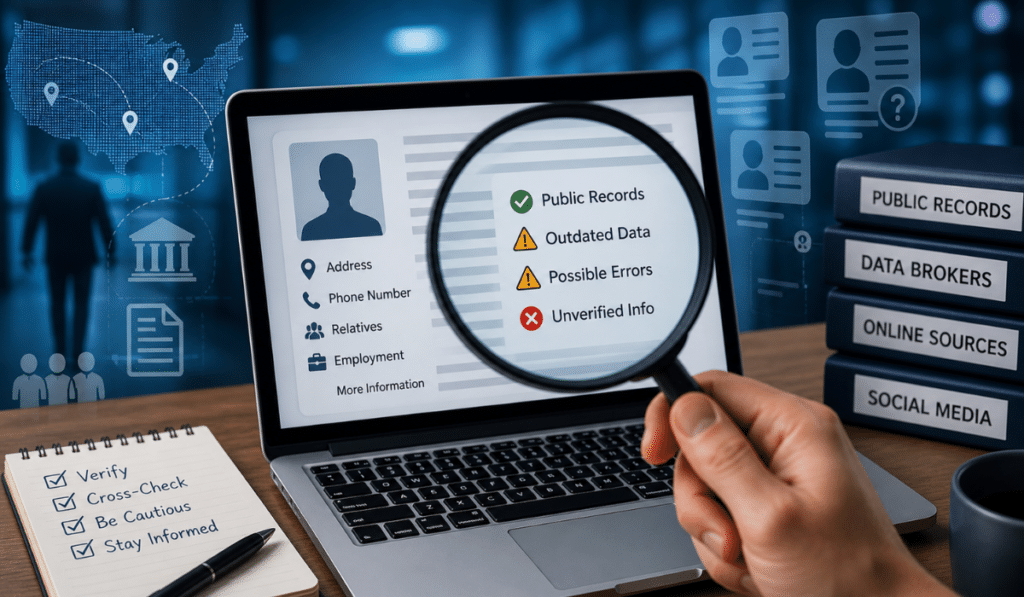
People search websites have quietly become one of the most practical parts of the internet. They gather scattered information—public records, social profiles, contact details—and present it in a way that saves time. But there’s a catch: not all of them are equally useful, and “free” doesn’t always mean fully accessible.
If you’ve ever tried one of these platforms and ended up hitting a paywall or getting incomplete results, you’re not alone. The trick isn’t just knowing which sites exist—it’s understanding how to use them together.
This guide focuses on free people search websites that actually deliver usable results, along with a realistic look at their limitations. No exaggerated claims, no fluff—just what works, what doesn’t, and how to get better outcomes.
What Are People Search Websites?
At their core, people search websites are aggregators. They collect publicly available data from multiple sources and organize it into searchable profiles.
Instead of manually checking social media, public directories, and scattered records, these platforms bring everything into one place.
What Kind of Information Do They Use?
Most of the data comes from:
- Public records (property, voter data, etc.)
- Social media profiles
- Online directories
- Archived web pages
- Data-sharing platforms
What Can You Typically Find?
Depending on the site, you may see:
- Full names and aliases
- Phone numbers
- Email addresses
- Current and past locations
- Social media profiles
- Known relatives or associates
How They Differ from Google
Search engines like Google show indexed web pages. People search websites, on the other hand, structure data specifically around individuals. That’s why they’re often more efficient when you’re looking for a person rather than general information.
Types of People Search Methods
Understanding how to search is just as important as knowing where to search.
Name-Based Search
This is the most common starting point. You enter a full name, sometimes with a city or state, and browse through matching profiles.
Challenge:
Common names can return dozens (or hundreds) of results. Adding location or age filters helps narrow it down.
Phone Number Lookup
Reverse phone lookup is useful when you receive calls from unknown numbers.
You enter the number, and the system tries to match it with:
- Owner name
- Location
- Carrier details
Email Search
Email-based searches are particularly useful for:
- Verifying someone’s identity
- Finding linked social accounts
Some platforms connect emails to usernames or profiles across multiple sites.
Username / Social Media Search
Many people reuse the same username across platforms. Tools that track usernames can reveal:
- Social profiles
- Forum activity
- Online presence
Address-Based Search
This method can help identify:
- Current or past residents
- Property ownership
- Neighborhood-level data
It’s more useful for verification than discovery.
Key Factors to Consider Before Using These Websites
Before relying on any result, it’s important to understand what you’re working with.
Accuracy of Data
Not all databases update regularly. Some information may be outdated or incomplete.
Free vs Paid Limitations
Most platforms show basic info for free and reserve deeper insights for paid users.
Geographic Coverage
Many tools work best in the US. If you’re searching in India or other regions, results may be limited.
Privacy and Ethics
Just because information is accessible doesn’t mean it should be misused.
Data Freshness
Some platforms update frequently, while others rely on older datasets.
Best Free People Search Websites
This is where things get practical. These platforms are widely used and offer meaningful free access.
TruePeopleSearch
One of the rare platforms that still offers substantial data without forcing you to pay.
Overview:
Simple interface, fast results, and surprisingly detailed information.
Free Features:
- Phone numbers
- Address history
- Relatives
- Age details
Limitations:
- Focused on US data
- Basic interface
Best Use Case:
Quick identity lookup or contact verification.
Whitepages
A long-established name in directories.
Overview:
Reliable for basic lookups, especially phone numbers.
Free Features:
- Name search
- Phone lookup
- Location info
Limitations:
- Detailed reports are paid
Best Use Case:
Reverse phone lookup.
Spokeo
Aggregates data from multiple sources into a single profile.
Overview:
Combines online and offline data.
Free Features:
- Basic identity preview
- Location data
Limitations:
- Full access requires payment
Best Use Case:
Initial research before deeper investigation.
Pipl
More advanced, often used in professional contexts.
Overview:
Known for deeper data indexing.
Free Features:
- Minimal preview
Limitations:
- Mostly paid
Best Use Case:
Serious verification tasks.
ZabaSearch
Simple and direct.
Overview:
Focused on public records.
Free Features:
- Names
- Addresses
Limitations:
- Limited depth
Best Use Case:
Quick checks.
FastPeopleSearch
A strong alternative to TruePeopleSearch.
Overview:
Provides generous free access.
Free Features:
- Phone numbers
- Addresses
- Relatives
Limitations:
- Occasional inaccuracies
Best Use Case:
Backup tool when others fail.
PeekYou
Focused on digital presence.
Overview:
Tracks online activity and social profiles.
Free Features:
- Social links
- Web mentions
Limitations:
- Limited offline data
Best Use Case:
Finding online profiles.
That’s Them
Less popular but useful.
Overview:
Offers direct contact-related data.
Free Features:
- Emails
- Phone numbers
Limitations:
- Smaller database
Best Use Case:
Quick contact lookup.
FamilyTreeNow
Originally built for family research.
Overview:
Strong for historical and relational data.
Free Features:
- Family connections
- Address history
Limitations:
- Cluttered interface
Best Use Case:
Tracing relatives.
Not designed for searching people casually—but highly effective.
Overview:
Professional identity platform.
Free Features:
- Work history
- Education
- Connections
Limitations:
- Limited personal info
Best Use Case:
Professional verification.
Still one of the easiest ways to find people globally.
Overview:
Massive user base and frequent updates.
Free Features:
- Profiles
- Photos
- Social connections
Limitations:
- Privacy settings restrict access
Best Use Case:
Finding people internationally.
Free vs Paid People Search Tools
What Free Tools Can Do
- Basic identity verification
- Social profile discovery
- Phone lookup
Where Free Tools Fall Short
- Limited depth
- Incomplete records
- Outdated information
When Paid Tools Make Sense
- Background checks
- Legal or financial history
- Business verification
How to Get Better Search Results
Getting useful results isn’t about luck—it’s about how you search. Most people try one site, don’t find what they need, and stop there. The difference between a dead end and a solid result usually comes down to approach.
Use Multiple Platforms
No single database has complete information. One platform might have phone numbers, another might have social profiles, and a third might show address history. For example, starting with TruePeopleSearch and then checking FastPeopleSearch often reveals different pieces of the same puzzle. Treat each tool as a layer, not a final answer.
Combine Search Methods
Don’t rely only on names. If you have additional details, use them:
- Phone number → reverse lookup
- Email → linked accounts
- Username → social footprint
Switching methods can unlock results that a basic name search misses entirely.
Add Location Filters
Location is one of the strongest filters you can use. Even adding a city or state drastically reduces irrelevant results—especially with common names. Without location, you might be sorting through dozens of profiles that have nothing to do with your target.
Try Name Variations
People don’t always appear online under their full legal name. Try:
- Shortened names (Amit → Amy in some cases)
- Middle initials
- Maiden names
- Alternate spellings
This is especially useful when dealing with older records or social profiles.
Cross-Check Information
Never assume the first result is correct. Match at least two or three data points:
- Same phone number across platforms
- Matching city or address
- Similar relatives or associates
Cross-verification is what turns “possible match” into “likely correct.”
Use Search Engines Alongside Tools
People search websites are powerful, but they’re not the whole picture. A simple search like:
Name + city + job
can uncover:
- Social media profiles
- News mentions
- Business listings
Combining structured tools with open web search gives the best results.
Common Mistakes to Avoid
Most frustrations with people search tools come from a few predictable mistakes.
Relying on a Single Source
This is the biggest one. Even the best platforms don’t have complete data. If you depend on just one site, you’re working with partial information.
Assuming All Data Is Accurate
These platforms pull from multiple sources, and not all of them are up to date. You might see:
- Old addresses
- Inactive phone numbers
- Incorrect associations
Always treat results as clues, not confirmed facts.
Ignoring Outdated Information
Sometimes the data is correct—but no longer relevant. For example, an address from 8 years ago might still appear as “current.” Always look for timelines or recent activity.
Overlooking Similar Names
It’s easy to pick the wrong person when multiple profiles look similar. Pay attention to:
- Age range
- Location
- Known relatives
Small differences matter.
Skipping Cross-Verification
Jumping to conclusions without checking multiple sources leads to mistakes. Even if something looks right, verify it through at least one more platform like Whitepages or Spokeo.
Legal and Ethical Considerations
Just because information is available doesn’t mean it should be used carelessly.
Respect Privacy
People search tools surface data that individuals may not expect to be easily accessible. Use that information with discretion.
Avoid Misuse
These tools are meant for:
- Reconnecting with people
- Verifying identities
- Basic research
They should not be used for manipulation, intimidation, or any harmful intent.
Don’t Harass or Stalk
Using personal data to repeatedly contact or track someone crosses a line quickly. Even if the data is public, misuse can have legal consequences.
Use Information for Legitimate Reasons
Before searching, ask yourself why you need the information. Valid reasons include:
- Personal reconnection
- Professional verification
- Safety checks
If the purpose feels questionable, it’s better not to proceed.
Practical Step-by-Step Workflow
Instead of jumping randomly between tools, following a structured process saves time and improves accuracy.
Step 1: Start with a Broad Search
Begin with TruePeopleSearch
- Enter full name + location (if known)
- Note down possible matches, phone numbers, or relatives
This gives you a base dataset.
Step 2: Cross-Check Basic Details
Move to Whitepages
- Verify phone numbers
- Confirm location consistency
If both platforms show similar details, confidence increases.
Step 3: Check Social Presence
Search on Facebook
- Look for matching profile photos
- Check mutual connections or city
- Confirm identity through activity
This step helps validate whether the person is active and real.
Step 4: Verify Professional Information
Use LinkedIn
- Match job roles, education, or industry
- Confirm location or company
This is especially useful if you’re verifying someone for business reasons.
Step 5: Explore Digital Footprint
Finally, use PeekYou
- Find usernames across platforms
- Discover additional social profiles
- Check online mentions
This step fills in the gaps and often reveals connections you wouldn’t find otherwise.
Conclusion
People search websites aren’t magic tools—but when used correctly, they can save a significant amount of time.
The key is not expecting one platform to do everything. Each tool has its strengths, and combining them is what produces real results.
For most everyday needs—finding someone, verifying contact details, or checking an identity—free tools are more than enough. You just need to approach them with the right expectations and a bit of patience.
Use them carefully, cross-check everything, and focus on practical outcomes rather than perfect data. That’s how you turn scattered information into something actually useful.

I am Sandy Saga, the writer and content researcher behind FamilyTreeNow.net. I create clear, easy-to-understand informational content related to family history, people search resources, genealogy topics, and public information awareness. My goal is to help readers understand how online search tools and family research resources work in a simple and responsible way.
The content on FamilyTreeNow.net is published strictly for informational and educational purposes only. I focus on providing accurate, transparent, and reader-friendly information to help users explore and learn. This website does not offer official records, legal advice, or professional services — it exists solely as an independent informational resource.