
A few years ago, I tried to reconnect with someone I hadn’t spoken to since college. No phone number, no recent social media, just a name I remembered and a vague idea of where they might be living. I figured it would take five minutes. It didn’t. What started as a quick search turned into a slow, layered process of piecing together small clues—old usernames, outdated profiles, fragments of information scattered across the internet.
That experience changed how I look at online searches. Finding someone isn’t about one perfect tool. It’s about understanding how people leave traces behind—often unintentionally—and knowing where to look and how to connect the dots.
How People Leave Digital Traces (Without Realizing It)
Most people don’t think of themselves as “visible” online unless they actively post on social media. But even those who barely use the internet still leave behind a trail.
It might be an old forum account from 2012, a school alumni mention, a cached business listing, or a tagged photo someone else uploaded years ago. These fragments don’t disappear—they just get harder to find.
The key thing to understand is this:
You’re not searching for a person directly. You’re searching for their traces.
Once you shift your mindset from “find John Smith” to “find where John Smith has appeared online,” the process becomes much more practical.
Methods to Find Someone Online for Free
1. Using Search Engines Properly (Most People Don’t)
Most people type a name into Google and stop there. That’s rarely enough.
Start simple, but quickly get specific.
Try variations:
- Full name in quotes:
"John A Smith" - Add location:
"John A Smith" Texas - Add context:
"John A Smith" engineer Dallas
Putting quotes around a name forces exact matches. Without quotes, you’ll get a flood of irrelevant results.
If the name is common, you need to narrow it down using known details:
- Workplace
- School
- City
- Hobby or profession
You can also remove noise using minus signs:
"John A Smith" Texas -lawyer(if you know they’re not a lawyer)
Another overlooked trick is checking older results. People often assume the most relevant results are recent, but older mentions—like archived pages or outdated directories—can be more useful.
Also, don’t just look at the first page. The useful stuff is often buried.
2. Social Media Platforms (Beyond the Obvious)
People think of Facebook, Instagram, and LinkedIn—and yes, those matter. But how you search matters more than where.
Instead of searching just the name, combine filters:
- City + name
- Workplace + name
- Mutual connections
On platforms like LinkedIn, even a partial work history can help narrow someone down quickly.
On Facebook, people often forget that:
- Old accounts still exist
- Tagged photos can reveal identity
- Friends lists can act as a shortcut
If someone locked their profile, look at:
- Comments they’ve left on public pages
- Groups they might be part of
- Events they’ve attended
One thing I’ve noticed—people often reuse profile pictures across platforms. That becomes useful later when doing reverse image searches.
3. Free People Search Websites
There are a number of free directories that aggregate public information. They’re not always perfectly accurate, but they’re good starting points.
Look for:
- Basic address history
- Age range
- Possible relatives
Even if the data isn’t fully up-to-date, it gives you anchors. For example, finding a past city can help you refine your search elsewhere.
Don’t expect one site to give you everything. The value comes from comparing multiple sources and seeing what overlaps.
4. Public Records and Directories
This is where things get more grounded.
Depending on the situation, you can check:
- Property records
- Business registrations
- Court records
- Voter registrations (in some states)
These aren’t always centralized, so you may need to search state or county-specific databases.
For example, if you suspect someone owns a business, checking a state’s business registry can confirm:
- Their full legal name
- Business address
- Filing dates
Phone directories and older white pages listings can also be surprisingly useful, especially for people who aren’t very active online.
5. Reverse Image Search (Often Overlooked)
If you have a photo of the person, even an old one, you have an advantage.
Upload the image into reverse image search tools. You might find:
- Other profiles using the same photo
- Old social media accounts
- Websites where the image appears
This works especially well if the person hasn’t changed their profile picture across platforms.
Even if the exact image doesn’t show up, visually similar matches can lead you somewhere unexpected.
6. Username Tracking Across Platforms
This is one of the most effective methods, and most people don’t use it.
If you know even one username they’ve used—maybe from an old Instagram or Twitter account—search that username directly.
People tend to reuse usernames across different platforms.
Search it like this:
"coolguy92"- Or just type it into different platforms manually
You might find:
- Gaming profiles
- Old forums
- Niche communities
Sometimes these accounts reveal more personal details than mainstream social media—things like interests, location hints, or even email fragments.
Smart Search Tips That Actually Make a Difference
The difference between finding someone in five minutes versus two hours usually comes down to how you think.
Combine Small Details
A name alone is weak. But combine:
- Name + city
- Name + job
- Name + school
Now you’re narrowing the field.
Even something small like “worked at a hospital” can help filter results significantly.
Check Old, Not Just Current
People change jobs, cities, and platforms. But old information lingers.
Look for:
- Old LinkedIn profiles
- Archived web pages
- Outdated directories
Sometimes the only way to find someone today is through something they posted 10 years ago.
Think Like a Person, Not a Tool
This is where most people fail.
Instead of asking:
“Where can I search?”
Ask:
“Where would this person likely show up?”
For example:
- A designer → portfolio sites
- A developer → GitHub
- A business owner → company listings
- A student → alumni pages
When you align your search with their behavior, results come faster.
Common Mistakes to Avoid
Jumping to Conclusions Too Fast
Just because the name and city match doesn’t mean it’s the same person.
Always verify using:
- Age
- Connections
- Work history
Misidentification is more common than people think.
Relying on Just One Platform
No single platform has complete information.
If you only check Facebook, you’ll miss LinkedIn.
If you only check LinkedIn, you’ll miss older traces.
Cross-checking is what builds accuracy.
Ignoring Outdated Information
People often skip older results thinking they’re irrelevant.
In reality, older data is often the missing link.
An old address or job listing can lead you to current information.
Privacy and Ethical Boundaries
There’s a difference between finding someone and invading their privacy.
If someone has intentionally kept a low profile or removed their presence, that’s a signal worth respecting.
Use this kind of research for reasonable purposes:
- Reconnecting
- Verifying identity
- Professional context
Not for harassment, stalking, or anything intrusive.
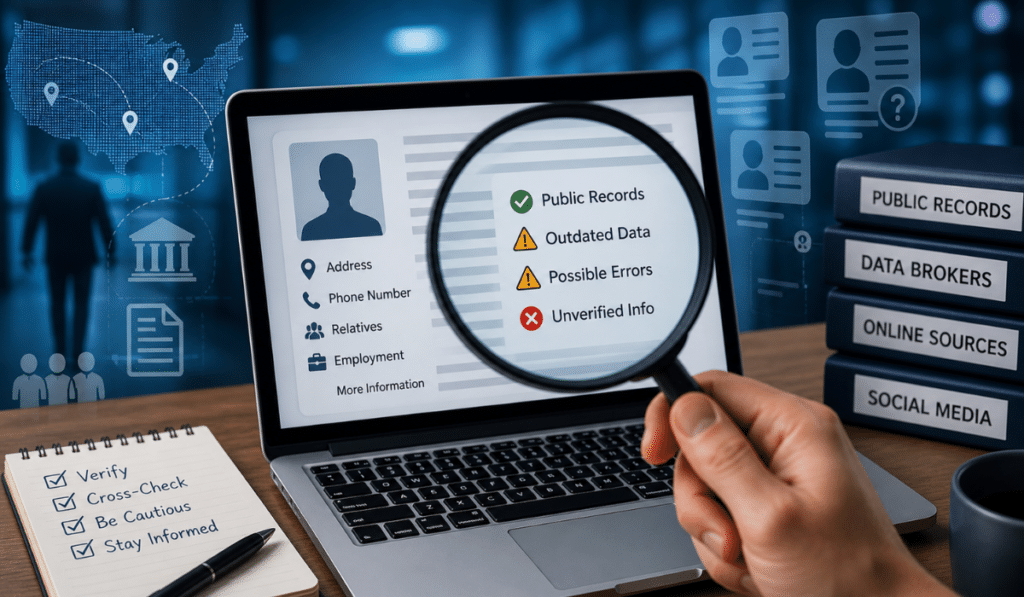
Also, keep in mind that not everything you find will be accurate. Public data can be messy, outdated, or incomplete.
A Couple of Real Situations
One time, I was trying to verify a freelancer someone recommended. Their name was common, and nothing obvious showed up.
What helped wasn’t searching their name—it was searching their username from an old portfolio link. That led to a GitHub profile, which confirmed their work history.
Another situation involved finding a former colleague. Social media searches went nowhere. What worked was finding an old company directory listing, which led to a newer business registration under the same name.
In both cases, the breakthrough didn’t come from doing more searches—it came from changing how the search was approached.
Ending Thought
Finding someone online isn’t about luck or secret tools. It’s about patience, observation, and knowing how to follow small clues without forcing the process.
Sometimes you find what you’re looking for quickly. Other times, you don’t—and that’s part of it too. Not every trail leads somewhere clear, and not every person wants to be found.
But if you pay attention to patterns, stay methodical, and avoid rushing to conclusions, you’ll usually get closer than you expect.

I am Sandy Saga, the writer and content researcher behind FamilyTreeNow.net. I create clear, easy-to-understand informational content related to family history, people search resources, genealogy topics, and public information awareness. My goal is to help readers understand how online search tools and family research resources work in a simple and responsible way.
The content on FamilyTreeNow.net is published strictly for informational and educational purposes only. I focus on providing accurate, transparent, and reader-friendly information to help users explore and learn. This website does not offer official records, legal advice, or professional services — it exists solely as an independent informational resource.