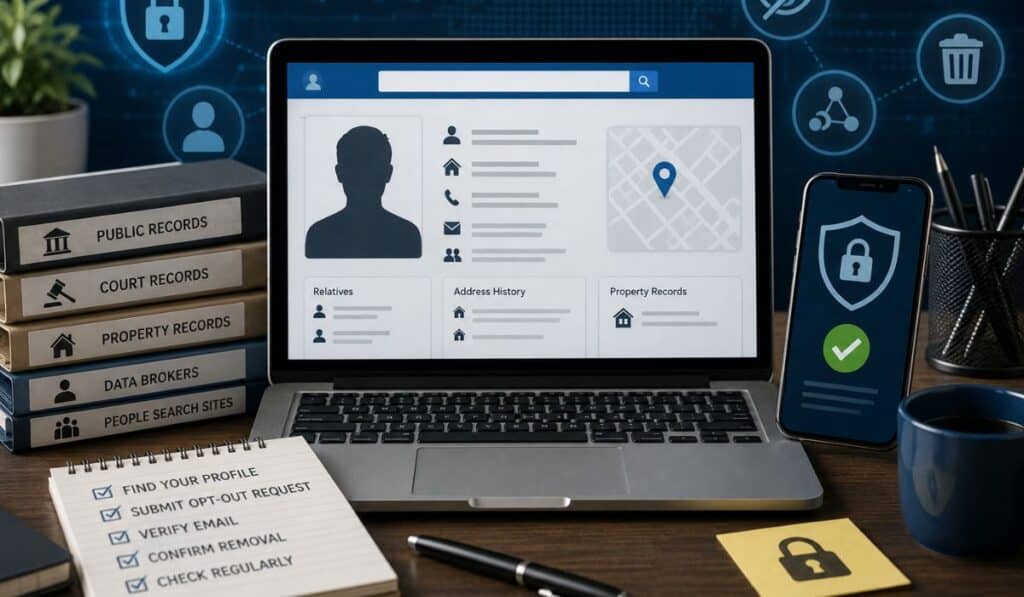

You type your name into Google just to see what shows up. Within seconds, you find listings that include your phone number, past addresses, and even names of relatives. You never gave permission for any of this to be published—yet it’s all there, neatly organized and easy to access.
That’s where the concern starts to grow.
Exposed personal data isn’t just uncomfortable—it creates real risk. It can open the door to identity theft, increase the volume of spam calls, and make you a target for highly personalized scams. In some cases, it can even affect your professional reputation if outdated or incorrect information appears in public listings.
So the obvious question is: Where is this data coming from?
The answer isn’t random leaks or one-time breaches. It’s a structured ecosystem of data broker websites that collect, package, and distribute personal information at scale.
In this guide, you’ll see how that system works, which platforms are involved, and—more importantly—what you can do to take back control of your information before someone else uses it against you.
What Are Data Broker Websites?
Data broker websites are platforms that collect, organize, and sell or publish personal information about individuals. They don’t usually gather this data directly from you in a single interaction. Instead, they aggregate it from multiple sources, creating detailed profiles that can be accessed by businesses, marketers, and sometimes the general public.
At a basic level, a data broker acts as a middle layer between raw data sources and end users who want that information.
The data collection ecosystem is what makes this possible. Information flows from public records, online activity, and third-party sources into centralized databases. Data brokers then process, match, and structure that data so it can be searched by name, phone number, or address.
The type of information collected can be surprisingly extensive. Common data points include:
- Full name and aliases
- Phone numbers (current and past)
- Residential addresses and history
- Email addresses
- Known relatives or household members
- Estimated income ranges or property ownership
Individually, these pieces of data may seem harmless. But when combined, they create a highly detailed snapshot of a person’s identity and lifestyle.
So why is this data valuable?
Primarily, it’s used for targeted marketing, identity verification, and lead generation. Companies use it to refine advertising campaigns, verify customer details, or identify potential buyers. However, the same data can also be accessed by individuals—sometimes for legitimate reasons, and sometimes for misuse.
The key issue isn’t just that data exists—it’s how easily it can be compiled, searched, and distributed without most people ever realizing it.
How Data Brokers Collect Your Information
Data brokers don’t rely on a single source. Their strength comes from combining multiple streams of information into one unified profile. Understanding these sources helps explain why your data appears online—even if you never knowingly shared it.
Public Records
One of the largest sources is public records. In the United States, many types of information are legally accessible, including property records, voter registrations, court filings, and business registrations.
Example: When you buy a home, that transaction becomes part of public record. Data brokers can access and index that information, linking your name to an address and property value.
Social Media
Social platforms are another major data source. Even if your profile is partially private, bits of information—like your name, city, workplace, or connections—can still be collected.
Example: Listing your workplace on LinkedIn or tagging your location on Facebook provides data points that brokers can cross-reference with other sources to build a more complete profile.
Online Forms & Signups
Every time you fill out a form online—whether it’s for a newsletter, discount offer, or free download—you may be contributing to a data trail.
Example: Signing up for a coupon site with your email and ZIP code might seem harmless, but that information can be sold or shared with third-party marketers, eventually reaching data brokers.
Third-Party Data Sharing
Many companies exchange or sell user data as part of partnerships. This includes retail stores, apps, and service providers.
Example: A mobile app you install may share usage data or contact details with analytics partners. That data can then be resold or aggregated into larger datasets used by brokers.
Cookies & Tracking Technologies
Web tracking tools—like cookies, pixels, and device fingerprinting—monitor your online behavior. While they don’t always identify you by name immediately, they build behavioral profiles over time.
Example: If you browse products on multiple websites, tracking systems can connect those activities and associate them with your identity once you log in or provide personal details somewhere else.
The important point is this: your data isn’t collected in one place—it’s assembled piece by piece. Data brokers specialize in connecting those pieces into something far more detailed than you might expect.
Why You Should Care About Data Brokers
It’s easy to assume that publicly available data isn’t a big deal. But when that data is aggregated, indexed, and made searchable, the impact changes significantly.
Privacy risks are the most immediate concern. Information that once required effort to obtain is now accessible in seconds. This reduces your control over who can see your personal details and how they’re used.
Identity theft becomes more likely when multiple data points are exposed together. A name, address, and phone number may seem basic—but combined with other details, they can be used to impersonate you or bypass security checks.
Targeted scams are another growing issue. Scammers increasingly rely on personal data to make their calls or messages appear legitimate. Instead of generic spam, you might receive highly personalized outreach that references your location, family members, or recent activity.
There are also reputation concerns. Outdated or incorrect information can appear in search results, potentially affecting how others perceive you—whether it’s a potential employer, client, or business contact.
Finally, there’s the ongoing problem of unwanted calls and emails. Once your data enters the broker ecosystem, it can be distributed across multiple platforms, increasing exposure to telemarketing, spam, and persistent outreach.
The core issue isn’t just visibility—it’s control. Without awareness of how these systems work, your information continues to circulate without your input. Understanding the role of data brokers is the first step toward managing that exposure effectively.
10 Data Broker Websites in the USA
Below is a practical breakdown of widely used U.S. data broker and people-search platforms. The goal isn’t to label them as “good” or “bad,” but to show how they operate, what they expose, and where the trade-offs sit.
1. FamilyTreeNow
Overview
A free-first people search platform that aggregates public records into searchable profiles. It’s commonly used for quick lookups by name, address, or phone number.
What info it shows
- Names and known aliases
- Current and past addresses
- Associated phone numbers
- Possible relatives and household members
- Age ranges and location history
Use cases
- Reverse phone checks before calling back
- Reconnecting with old contacts
- Verifying whether a number ties to a real person
Free vs paid access
- Free: Core listings, basic profile details
- Paid (limited/adjacent services): Deeper or consolidated reporting via partner tools
Pros
- Strong free access for basic identification
- Fast, simple search interface
- Useful for initial verification without a paywall
Cons
- Data can be outdated or incomplete
- Limited deep background details compared to premium services
Privacy concerns
- Public visibility of address history and relatives
- Profiles can appear without users realizing it
- Requires manual opt-out if you want removal
2. Spokeo
Overview
Spokeo blends public records with social and commercial data to create broad identity profiles.
What info it shows
- Names, phone numbers, addresses
- Email addresses
- Social media indicators
- Lifestyle estimates (e.g., interests, general demographics)
Use cases
- Identity verification
- Contact enrichment for business leads
- Background context on unknown callers
Free vs paid access
- Free: Limited preview data
- Paid: Full reports with expanded attributes
Pros
- Wide data aggregation from multiple sources
- Clean, user-friendly interface
- Useful for cross-referencing identities
Cons
- Full value locked behind subscription
- Some inferred data may lack precision
Privacy concerns
- Combines multiple data types into one profile
- May surface inferred attributes users didn’t explicitly share
3. Whitepages
Overview
One of the longest-running directories in the U.S., known for phone-based lookups and identity checks.
What info it shows
- Phone ownership details
- Names and addresses
- Carrier and line type
- Background indicators (premium)
Use cases
- Reverse phone lookup
- Screening unknown callers
- Verifying contact details
Free vs paid access
- Free: Basic name/location info
- Paid: Background checks, criminal records, deeper identity data
Pros
- Strong phone lookup capabilities
- Large, established database
- Reliable spam flagging signals
Cons
- Premium tier needed for detailed reports
- Upsell-heavy experience
Privacy concerns
- Exposes phone-to-identity links
- Background data visibility raises sensitivity concerns
4. BeenVerified
Overview
A subscription-based service focused on detailed background reports and identity verification.
What info it shows
- Full names, aliases
- Addresses and history
- Criminal and court records (where available)
- Social profiles and assets
Use cases
- Due diligence before meeting someone
- Tenant or partner screening (informal)
- Deeper investigations beyond basic lookup
Free vs paid access
- Free: Minimal previews
- Paid: Comprehensive reports
Pros
- Detailed, consolidated reports
- Good for deeper context and verification
- Mobile-friendly tools
Cons
- Subscription required
- Data accuracy varies by region/source
Privacy concerns
- Aggregates sensitive records into easy-to-read reports
- Potential for misuse if interpreted without context
5. TruthFinder
Overview
Known for extensive background-style reports, including deep web and public record aggregation.
What info it shows
- Contact details and address history
- Possible associates
- Public records and alerts
- Social media traces
Use cases
- Investigating unknown contacts
- Personal safety checks
- Identity validation
Free vs paid access
- Free: Limited teasers
- Paid: Full, detailed reports
Pros
- Broad dataset coverage
- Emphasis on report depth
- Continuous updates on some records
Cons
- Slower report generation
- Requires ongoing subscription
Privacy concerns
- Deep aggregation increases exposure of historical data
- May include sensitive or outdated entries
6. Intelius
Overview
A long-standing data broker focusing on identity lookup and background information.
What info it shows
- Names, phone numbers, addresses
- Criminal and court data (premium)
- Email and connection indicators
Use cases
- Background screening
- Identity confirmation
- Contact tracing
Free vs paid access
- Free: Basic info
- Paid: Full reports
Pros
- Established reputation
- Structured reports
- Useful for formal verification scenarios
Cons
- Paywall for meaningful insights
- Interface can feel dated
Privacy concerns
- Detailed personal records centralized in one report
- Requires opt-out to remove listings
7. PeopleFinder
Overview
A straightforward lookup platform focused on accessible identity searches.
What info it shows
- Names and aliases
- Address history
- Phone numbers
- Public records (premium)
Use cases
- Quick identity checks
- Locating individuals
- Basic verification tasks
Free vs paid access
- Free: Limited previews
- Paid: Full access to reports
Pros
- Simple interface
- Fast search results
- Easy navigation
Cons
- Limited free value
- Less depth than top-tier competitors
Privacy concerns
- Public exposure of address history
- Data persistence across listings
8. Radaris
Overview
Radaris aggregates public and web-based data into structured identity profiles.
What info it shows
- Names, aliases
- Addresses and contact details
- Professional and online presence indicators
Use cases
- Online identity research
- Cross-checking information
- Reputation monitoring
Free vs paid access
- Free: Partial data
- Paid: Expanded records and reports
Pros
- Broad indexing of online data
- Good for cross-referencing sources
- Fast results
Cons
- Accuracy can vary
- Some profiles may mix data from multiple individuals
Privacy concerns
- Aggregates scattered web data into one place
- Potential for misattribution
9. FastPeopleSearch
Overview
A free-focused platform offering quick access to basic identity data.
What info it shows
- Names and phone numbers
- Addresses
- Possible relatives
Use cases
- Quick reverse phone lookup
- Basic identity checks
- Initial filtering before deeper search
Free vs paid access
- Free: Most core data
- Paid: Minimal or external upsells
Pros
- Completely free core access
- Fast and simple
- Useful for quick checks
Cons
- Limited depth
- Data freshness can be inconsistent
Privacy concerns
- Easily accessible personal details
- Minimal barriers to access
10. That’s Them
Overview
A no-frills search engine that focuses on delivering basic identity data quickly.
What info it shows
- Names
- Addresses
- Phone numbers
- Email associations
Use cases
- Quick lookups
- Verifying unknown contacts
- Cross-checking other sources
Free vs paid access
- Free: Core data access
- Paid: Not heavily emphasized
Pros
- Fast results
- Simple interface
- No heavy paywalls
Cons
- Limited depth
- Minimal additional context
Privacy concerns
- Public exposure of core identity data
- Limited user awareness of listings
Free vs Paid Data Broker Sites
When you search for your information online, you’ll notice a clear split between free-access platforms and paid data broker services. The difference isn’t just pricing—it’s depth, accuracy, and how the data is packaged.
| Feature | Free Sites | Paid Sites |
|---|---|---|
| Basic Info | ✔ | ✔ |
| Detailed Reports | ❌ | ✔ |
| Background Data | ❌ | ✔ |
Free data broker sites are built for quick discovery. They typically show surface-level information such as:
- Name and aliases
- Approximate age
- Current or past addresses
- Phone numbers
This is enough for basic identification—like checking who might be behind an unknown call or confirming a contact. These platforms prioritize accessibility, which is why most of the data is visible without payment.
However, free sites usually don’t consolidate deeper records. You might see fragments, but not a complete profile.
That’s where paid data broker services come in.
Paid platforms are structured to provide full reports, often combining multiple datasets into a single, organized view. These reports may include:
- Extended address history
- Possible relatives and associates
- Court or public record summaries (where legally available)
- Email and social indicators
The key advantage is data correlation—paid services connect scattered information into a more coherent identity profile.
When to use each:
- Use free sites when you need quick validation or a basic lookup
- Use paid services when you need deeper verification or multiple data points aligned
The important distinction: free tools show pieces, while paid tools attempt to show the full picture.
How to Remove Your Information from Data Broker Sites
Finding your information online is one thing—removing it is another. Most data broker websites provide opt-out options, but the process isn’t always obvious or consistent.
Here’s a structured approach that works across most platforms:
Step 1: Search Your Name
Start by searching your full name (and variations) on major data broker sites. Include your city or state to narrow results. This helps you identify all listings associated with you.
Step 2: Find Your Profile
Locate the exact profile that matches your identity. Pay attention to:
- Address history
- Known relatives
- Age range
Accuracy matters—removing the wrong profile won’t solve the problem.
Step 3: Submit an Opt-Out Request
Most platforms include an opt-out or “remove my information” link, usually in the footer or privacy section. Follow the instructions to request removal.
This may require:
- Copying your profile URL
- Filling out a request form
- Providing an email address for confirmation
Step 4: Verify Your Identity
To prevent misuse, many sites require verification. This could involve:
- Email confirmation
- CAPTCHA validation
- ID verification (in some cases)
While it may feel intrusive, it’s designed to ensure that only the correct person can request removal.
Step 5: Follow Up
Removal isn’t always instant. Some sites take days or weeks to process requests. In some cases, listings may reappear if data is refreshed from external sources.
That’s why follow-up is critical:
- Recheck your name periodically
- Submit repeat requests if necessary
- Monitor multiple platforms, not just one
Important note:
There’s no universal removal system. Each data broker operates independently, so you’ll need to repeat this process across multiple sites.
The effort can be time-consuming—but it’s currently the most direct way to reduce your online data exposure.
Tools That Help You Manage Your Data
Managing your personal data online comes down to two approaches: manual control and automated assistance.
Manual removal gives you full control. You decide which sites to target, which profiles to remove, and how frequently to monitor your data. This approach is more precise but requires ongoing effort. As new data gets indexed or updated, you may need to repeat the process.
On the other hand, automated tools are designed to streamline this workflow. These services scan multiple data broker sites, submit opt-out requests on your behalf, and monitor reappearances over time. The trade-off is cost—you’re paying for convenience and persistence.
Both approaches have their place:
- Manual = control + zero cost
- Automated = efficiency + continuous monitoring
Beyond removal, monitoring your online presence is just as important. Set a routine:
- Search your name periodically
- Check major people search platforms
- Track any new listings or changes
This proactive approach helps you stay ahead of data exposure rather than reacting to it later.
Platforms like FamilyTreeNow fit into this ecosystem as a visibility layer. They allow you to see what kind of information is publicly accessible about you. That awareness is critical—because you can’t manage what you don’t know exists.
The goal isn’t to disappear completely (which is unrealistic), but to reduce unnecessary exposure and maintain control over your digital footprint.
Legal & Privacy Laws in the USA
Data broker activity in the United States operates within a legal framework, but it’s important to understand both the protections—and the limitations.
One of the most relevant laws is the California Consumer Privacy Act (CCPA). This law gives California residents specific rights over their personal data, including:
- The right to know what data is collected
- The right to request deletion
- The right to opt out of data selling
While CCPA applies directly to California residents, its impact extends beyond the state because many companies apply similar standards nationwide.
Data transparency rights are a key component of modern privacy laws. You have the right to ask companies:
- What information they hold about you
- Where it came from
- How it’s being used
This shifts some control back to individuals—but only if those rights are exercised.
Opt-out rights allow you to request that your data not be sold or shared. Many data broker websites include opt-out mechanisms to comply with these regulations, though the process can vary in complexity.
However, there are limitations.
Not all data can be removed. Information sourced from public records—such as property ownership or court filings—can legally remain accessible. Data brokers can continue indexing this information as long as they comply with applicable laws.
Additionally, privacy laws in the U.S. are not uniform. Unlike some regions with centralized regulations, protections vary by state and by industry.
How to Protect Your Personal Information Online
Reducing your exposure to data brokers isn’t about a single fix—it’s about tightening multiple points where your information leaks out.
- Limit data sharing at the source
Every form you fill out adds to your digital trail. Before entering details, ask whether the field is necessary. Skip optional inputs like secondary phone numbers or demographic info unless there’s a clear benefit. Fewer inputs mean fewer data paths. - Use privacy settings aggressively
Review privacy controls on social platforms and apps. Restrict who can see your phone number, email, friends list, and location history. Disable public indexing where possible. Small settings changes can prevent your data from being scraped and resold. - Avoid sketchy sites and “too-good-to-be-true” offers
Giveaways, quizzes, and discount portals often function as data collection funnels. If a site pushes you to sign up quickly or asks for excessive details, treat it as a potential data harvesting point. - Use burner emails (and aliases)
Create separate email addresses for signups, promotions, and downloads. This isolates your primary inbox and reduces the chance of your main identity being linked across multiple datasets. Many email providers support aliases—use them. - Harden your accounts
Enable two-factor authentication (2FA), use a password manager, and avoid reusing passwords. While this doesn’t stop data brokers directly, it reduces the risk of account takeovers if your data circulates. - Monitor your digital footprint regularly
Search your name, phone number, and email periodically. Check major people-search platforms (including FamilyTreeNow) to see what’s visible. Set calendar reminders to review every few months and act on new listings. - Control tracking where you can
Clear cookies, limit ad tracking in your browser, and consider privacy-focused extensions. This reduces behavioral profiling that can later be linked back to your identity.
The objective isn’t total invisibility—it’s controlled visibility. Tighten inputs, restrict outputs, and review exposure on a schedule.
Common Mistakes People Make
Most exposure problems aren’t caused by a single event—they’re the result of small, repeated habits.
- Ignoring data exposure
People often assume “it’s just basic info.” But aggregated data changes the risk profile. What seems harmless individually becomes sensitive when combined. - Not opting out
Finding your profile and doing nothing is common. Opt-out processes take time, but skipping them leaves your data circulating indefinitely—and often spreading to additional brokers. - Oversharing online
Public posts that include location tags, workplace details, or family information provide high-quality data points. Over time, these details get scraped and stitched into broader profiles. - Using unsecured or low-trust websites
Entering personal information on sites without clear privacy policies or HTTPS protection increases the chance of data resale or leakage. If a site looks questionable, it probably is. - One-and-done mindset
Submitting a single removal request and assuming the problem is solved. Data refresh cycles can repopulate listings. Without periodic checks, exposure returns.
The pattern is consistent: inaction or overexposure. A small amount of discipline—opt-outs, privacy settings, periodic reviews—prevents most of it.
Conclusion
Data broker websites turn scattered information into searchable profiles. That’s the core issue—and the opportunity.
Once you understand how your data is collected and circulated, you can change the outcome. Limit what you share, tighten privacy settings, remove what you can, and monitor what remains. None of these steps are complex on their own, but together they shift control back to you.
Consistency is what makes it effective. A quick quarterly check, a few targeted opt-outs, and smarter sharing habits dramatically reduce your exposure over time.
If you haven’t done it yet, start now: check what information is publicly available about you and take control before someone else does.
FAQs
- Are data broker websites legal?
Yes. Data brokers operate within U.S. law by using publicly available records and permissible data sources. Regulations—such as the California Consumer Privacy Act—govern transparency and opt-out rights, but they don’t prohibit data aggregation itself. - Can I remove my information completely?
Not entirely. You can remove or suppress listings on many platforms, but data sourced from public records (e.g., property filings) can remain accessible. Also, new listings can appear as datasets update. The realistic goal is reduction and control, not total erasure. - Why is my data online without permission?
Much of it originates from public records or from data you shared indirectly—signups, purchases, or social media activity. Brokers aggregate these sources, so you may not recall a single point where you “consented.” - Are free people search sites safe?
Generally, yes—for lookup purposes—if you use reputable platforms and don’t provide unnecessary personal details. Free sites are best for basic checks. For deeper verification, paid services provide more structured data but require scrutiny as well. - How often should I check my data online?
A quarterly check is a practical baseline. If you’re actively removing listings, check monthly until things stabilize. - Do opt-out requests work permanently?
Not always. Some removals persist; others can reappear when data is refreshed. Keep records of your requests and recheck periodically.

I am Sandy Saga, the writer and content researcher behind FamilyTreeNow.net. I create clear, easy-to-understand informational content related to family history, people search resources, genealogy topics, and public information awareness. My goal is to help readers understand how online search tools and family research resources work in a simple and responsible way.
The content on FamilyTreeNow.net is published strictly for informational and educational purposes only. I focus on providing accurate, transparent, and reader-friendly information to help users explore and learn. This website does not offer official records, legal advice, or professional services — it exists solely as an independent informational resource.