
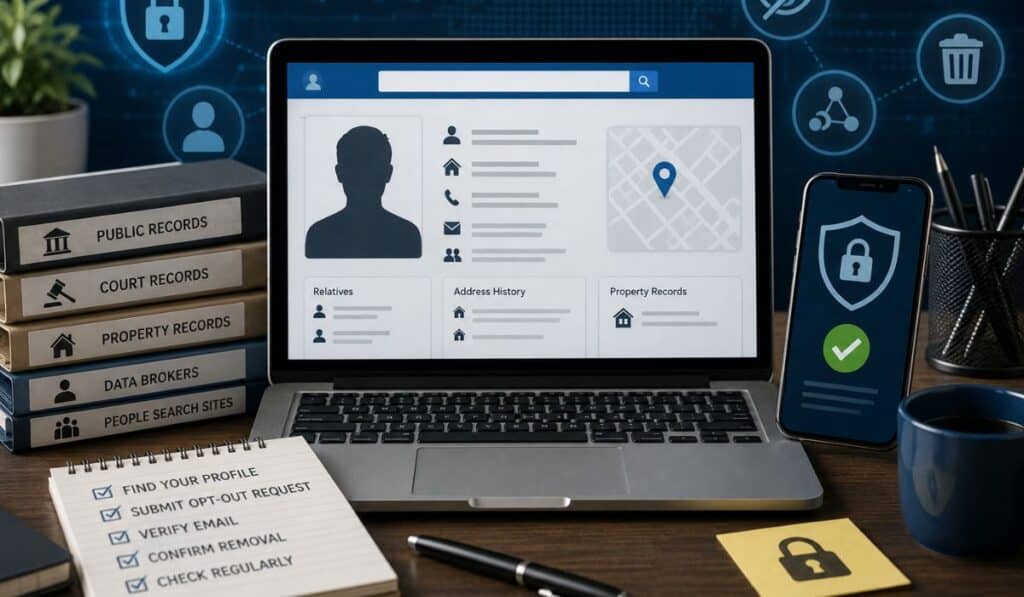
People search websites collect and display personal information from public records, marketing databases, and other online sources. Many of these websites allow users to search for names, addresses, phone numbers, relatives, email addresses, and property ownership details within seconds.
For many consumers, discovering their personal information online can feel invasive. A simple Google search may reveal old addresses, family connections, phone numbers, or background details spread across multiple websites.
Understanding how to opt out of people search websites is becoming increasingly important for anyone concerned about online privacy, identity theft, spam calls, or unwanted exposure. While completely removing public information from the internet is difficult, many websites provide opt-out processes that allow users to request removal of their profiles.
This guide explains how people search websites work, why your information appears online, how data broker networks operate, and the exact steps you can take to remove personal information online from major people finder websites.
What Are People Search Websites?
People search websites are online databases that collect and organize information about individuals. These websites allow users to search for someone using a name, phone number, address, or email address.
Some websites offer free previews, while others charge subscription fees for full reports.
How People Search Websites Collect Information
Most people search websites gather data from publicly available and commercial sources.
Common sources include:
- Property records
- Court records
- Voter registration databases
- Marketing databases
- Social media profiles
- Business records
- Phone directories
- Data brokers
These companies use automated systems to combine records from multiple databases into searchable profiles.
Examples Of Information Displayed
People finder websites may display:
- Full names
- Age ranges
- Current addresses
- Previous addresses
- Phone numbers
- Email addresses
- Relatives
- Property ownership records
- Court records
- Criminal records
Some websites also show maps, neighborhood details, and associated individuals.
Why Your Information Appears Online
Many users assume their personal information was leaked or hacked when they discover it online. In reality, much of the data comes from legal public records systems and commercial databases.
Public Records
Government agencies maintain public records for transparency purposes.
These may include:
- Property ownership records
- Marriage records
- Court filings
- Business licenses
- Voter registration records
People search websites collect this information and republish it in searchable formats.
Data Brokers
Data brokers buy, sell, and organize consumer information from many sources.
Some data brokers focus on advertising and marketing, while others specialize in background checks or identity verification.
People search websites often purchase information from larger data broker networks.
Marketing Databases
Retailers, survey companies, and advertising firms collect consumer information through:
- Loyalty programs
- Sweepstakes
- Online forms
- Purchases
- Website tracking systems
This data may later appear in commercial databases.
Social Media Profiles
Public social media activity can also contribute to online profiles.
Publicly visible details may include:
- Usernames
- Photos
- Employment details
- Location tags
- Friend connections
Court Records
Court databases are another major source of online information.
Traffic tickets, lawsuits, bankruptcies, and criminal filings may appear in searchable databases.
Property Records
County property records often contain:
| Record Type | Information Included |
|---|---|
| Property Deeds | Owner names |
| Tax Records | Mailing addresses |
| Assessment Records | Property values |
| Mortgage Filings | Loan information |
Because these records are regularly updated, they frequently appear on people search websites.
Risks Of Having Personal Information Online
Having personal information widely available online creates several privacy and security concerns.
Identity Theft
Criminals may use public information to:
- Impersonate individuals
- Open fraudulent accounts
- Answer security questions
- Target victims for scams
Even partial information can help support identity theft attempts.
Spam Calls
Phone numbers listed in online records databases often become targets for:
- Telemarketing calls
- Robocalls
- Spam text messages
Scam Targeting
Scammers frequently use personal details to create convincing phishing attempts.
Messages become more believable when scammers know:
- Your address
- Family names
- Employment information
- Previous locations
Stalking Concerns
Public address information can create physical safety risks.
This is especially important for:
- Domestic violence survivors
- Journalists
- Law enforcement personnel
- Public figures
Reputation Risks
Outdated or inaccurate records may remain online for years.
Old court filings or incorrect information can affect personal and professional reputations.
Data Breaches
Data broker databases themselves may become targets for hackers.
Large collections of personal information are valuable to cybercriminals.
How To Find Your Information Online
Before starting the opt-out process, identify which websites currently display your information.
Use Google Search Methods
Search combinations such as:
- Your full name
- Full name + city
- Phone number
- Address
- Email address
Use quotation marks for more precise results.
Example:
“John Smith” “Dallas TX”
Search People Finder Websites
Visit major people search websites and search for your name manually.
Common websites include:
- FamilyTreeNow
- Whitepages
- Spokeo
- BeenVerified
- TruthFinder
- Intelius
- FastPeopleSearch
- PeopleFinders
Reverse Phone Lookup Searches
Search your phone number online to identify where it appears.
This helps locate databases containing your contact information.
Address Lookup Searches
Search your address directly in Google or people search websites.
Many databases organize profiles primarily through address histories.
How To Opt Out Of People Search Websites
General Opt-Out Process
Most people search websites follow a similar removal process.
Typical steps include:
- Locate your profile
- Copy the profile URL
- Visit the opt-out page
- Submit a removal request
- Verify identity or email
- Wait for processing
Finding Removal Pages
Many websites hide opt-out pages in:
- Privacy policies
- Footer links
- Help centers
- “Do Not Sell My Information” pages
Search Google using:
“[website name] opt out”
Example:
“Spokeo opt out”
Verifying Identity
Many websites require verification to prevent fraudulent removals.
Verification methods may include:
- Email confirmation
- CAPTCHA verification
- Phone verification
- Identity documents in rare cases
Submitting Requests
Most opt-out forms ask for:
- Profile URL
- Email address
- Full name
Always use the exact profile link shown on the website.
Confirmation Emails
Many websites send confirmation links after submission.
Failure to click the confirmation link often cancels the request automatically.
Check spam folders if confirmation emails do not appear.
Removal Timelines
Removal times vary depending on the company.
| Website Type | Estimated Removal Time |
|---|---|
| Small databases | 24–72 hours |
| Large data brokers | 7–30 days |
| Manual review systems | Several weeks |
Step-By-Step Removal Guides For Popular Websites
FamilyTreeNow Opt Out
How To Find Your Profile
Search your full name on the website and identify the correct profile.
Opt-Out Process
Visit the FamilyTreeNow opt-out page and paste the profile URL.
Verification Steps
Complete CAPTCHA verification and confirm the request.
Expected Removal Time
Most removals process within several days.
Whitepages Opt Out
How To Find Your Profile
Search your name and city to locate your listing.
Opt-Out Process
Use the Whitepages suppression request page.
Verification Steps
Phone verification may be required.
Expected Removal Time
Most removals process within 24 hours to one week.
Spokeo Opt Out
How To Find Your Profile
Search your name and state.
Opt-Out Process
Paste the profile URL into the Spokeo opt-out form.
Verification Steps
Confirm the request through email verification.
Expected Removal Time
Usually several days.
BeenVerified Opt Out
How To Find Your Profile
Locate your profile using the search system.
Opt-Out Process
Submit the listing URL through the removal page.
Verification Steps
Email verification required.
Expected Removal Time
Approximately one week.
TruthFinder Opt Out
How To Find Your Profile
Search using your full name and city.
Opt-Out Process
Submit the listing URL through the TruthFinder opt-out system.
Verification Steps
Email confirmation required.
Expected Removal Time
Several days to two weeks.
Intelius Opt Out
How To Find Your Profile
Locate the correct report in the search system.
Opt-Out Process
Submit the URL through the Intelius suppression form.
Verification Steps
Email verification typically required.
Expected Removal Time
About one week.
PeopleFinders Opt Out
How To Find Your Profile
Search your full name and location.
Opt-Out Process
Submit removal through the PeopleFinders privacy page.
Verification Steps
Email verification may be required.
Expected Removal Time
Several days.
FastPeopleSearch Opt Out
How To Find Your Profile
Search your name or phone number.
Opt-Out Process
Use the FastPeopleSearch removal request page.
Verification Steps
CAPTCHA and email confirmation.
Expected Removal Time
Usually within one week.
Why Information Sometimes Reappears
Many users are frustrated when profiles return after removal.
This happens for several reasons.
Database Refresh Cycles
People search websites regularly refresh databases from public sources.
If new public records appear, profiles may regenerate.
Public Record Updates
Moving to a new address or purchasing property may create new public records entries.
These updates may spread across data broker networks.
Third-Party Sharing
Data brokers frequently exchange information with other companies.
One database update can quickly spread to multiple websites.
Multiple Data Broker Networks
Removing information from one website does not automatically remove it from others.
Many websites operate independently while sharing overlapping sources.
How To Reduce Your Digital Footprint
Opt-out requests help, but long-term privacy protection requires broader digital hygiene practices.
Adjust Social Media Privacy Settings
Limit public visibility on:
- X
- TikTok
Remove public access to personal details whenever possible.
Limit Public Information Sharing
Avoid posting:
- Home addresses
- Personal phone numbers
- Birthdates
- Family member details
Remove Old Accounts
Old forum accounts and inactive websites may still contain personal information.
Delete unused accounts whenever possible.
Use Identity Monitoring Services
Identity monitoring tools can alert users when:
- Information appears online
- Data breaches occur
- Personal details spread across databases
Protect Phone Numbers And Addresses
Consider using:
- Secondary email addresses
- Virtual phone numbers
- PO boxes for business use
State Privacy Laws And Consumer Rights
Privacy regulations vary across the United States.
California Consumer Privacy Act (CCPA)
The CCPA gives California residents rights involving:
- Data access
- Data deletion
- Opt-out requests
- Disclosure requests
Many data brokers must comply with these rules.
State-Level Privacy Protections
Additional privacy laws exist in states including:
- Virginia
- Colorado
- Connecticut
- Utah
More states continue passing privacy legislation.
Data Removal Rights
Some laws require companies to provide:
- Opt-out mechanisms
- Data deletion systems
- Consumer disclosure notices
Public Records Limitations
Certain public records cannot legally be removed because they remain part of government transparency systems.
However, many commercial websites can still suppress profiles from search visibility.
Best Tools For Monitoring Your Online Information
Google Alerts
Set Google Alerts for:
- Your name
- Phone number
- Email address
This helps monitor new online mentions.
Privacy Monitoring Services
Several services track:
- Data broker listings
- Public exposure
- Data breach appearances
Identity Theft Monitoring
Identity monitoring services may detect suspicious activity involving:
- Credit applications
- Account openings
- Personal data exposure
Manual Searches
Regular manual searches remain one of the most reliable monitoring methods.
Search:
- Your full name
- Old addresses
- Phone numbers
- Email addresses
every few months.
Common Mistakes During The Opt-Out Process
Using Incorrect URLs
Submitting the wrong profile URL may delay or reject removal requests.
Always verify the listing carefully.
Missing Confirmation Emails
Many requests fail because users never confirm email verification links.
Check spam folders regularly.
Submitting Incomplete Forms
Incomplete forms often prevent successful removal.
Follow instructions exactly.
Forgetting Repeat Checks
Profiles may reappear later due to database updates.
Periodic monitoring is essential.
Conclusion
Learning how to opt out of people search websites is an important step for anyone concerned about online privacy, spam calls, identity theft risks, or personal security.
People finder websites collect information from public records, data brokers, court systems, property databases, marketing networks, and online activity. As a result, personal information can spread across dozens of websites without direct user consent.
Although removing information completely from the internet is difficult, many people search websites provide opt-out systems that allow users to suppress profiles and reduce visibility. Regular monitoring, repeat opt-out requests, privacy-focused online habits, and awareness of state privacy laws all play an important role in long-term online identity protection.
Consumers who actively monitor their digital footprint can reduce exposure, limit unwanted contact, and maintain greater control over their personal information online.
Frequently Asked Questions
1. What are people search websites?
People search websites are online databases that collect and display personal information from public records and commercial sources.
2. Can I remove my information from the internet completely?
Complete removal is difficult because public records remain legally accessible in many cases. However, many commercial websites allow profile suppression.
3. How long does an opt-out request take?
Most removals take between several days and a few weeks depending on the website.
4. Why does my address appear online?
Addresses often come from property records, voter registration databases, and marketing records.
5. Do people search websites remove information permanently?
Not always. Information may return if databases refresh or new public records appear.
6. Is opting out free?
Most people search website opt-outs are free, although the process can take time.
7. Can scammers use information from people finder websites?
Yes. Public information can help support phishing attempts, scams, and identity theft.
8. What is a data broker?
A data broker is a company that collects, organizes, and sells personal information from public and commercial sources.
9. Are public records legal to publish online?
In many cases, yes. Public records laws allow certain information to remain accessible.
10. How often should I monitor my online information?
Checking every few months is generally recommended for ongoing privacy management.

I am Sandy Saga, the writer and content researcher behind FamilyTreeNow.net. I create clear, easy-to-understand informational content related to family history, people search resources, genealogy topics, and public information awareness. My goal is to help readers understand how online search tools and family research resources work in a simple and responsible way.
The content on FamilyTreeNow.net is published strictly for informational and educational purposes only. I focus on providing accurate, transparent, and reader-friendly information to help users explore and learn. This website does not offer official records, legal advice, or professional services — it exists solely as an independent informational resource.